返回风格库
视觉风格expressive

日式RPG

JRPG

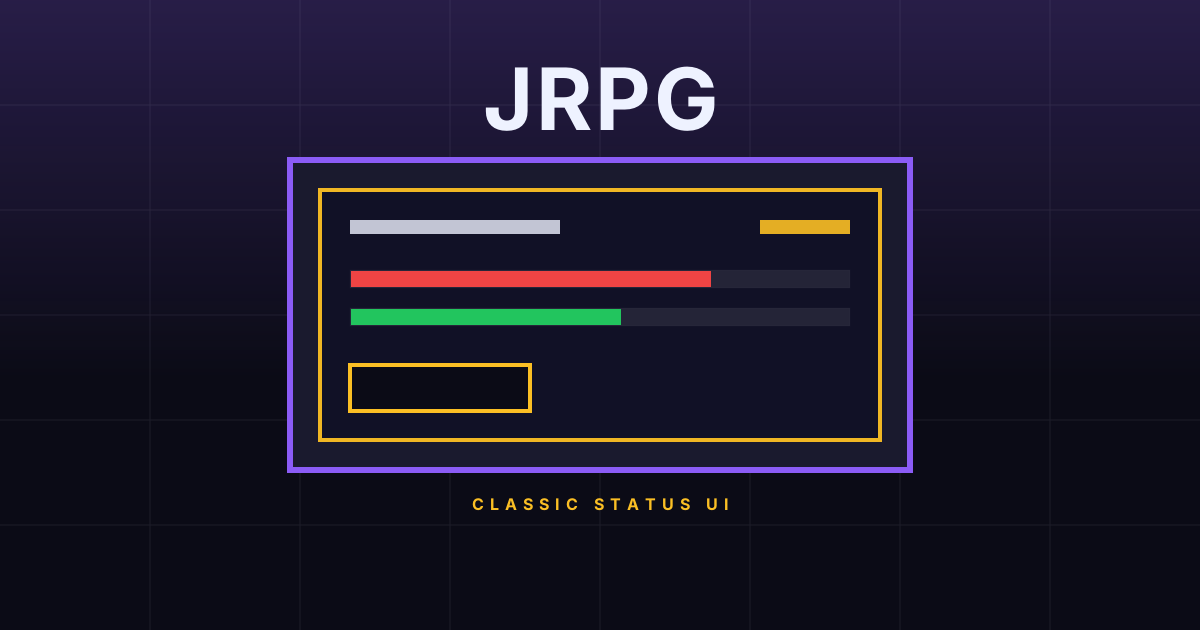
经典日式 RPG 菜单与对话框美学,斜面边框、渐变背景、状态栏、华丽框架。适合游戏界面、互动叙事、奇幻风格产品。

日式RPG视觉预览
主色#1e40af
次色#0f172a
强调色 1#fbbf24
强调色 2#f0f9ff
强调色 3#22c55e
强调色 4#56ed40

AI 实现规则

STYLE: JRPG
TYPE: Classic Japanese RPG menu interface

MUST USE:
- Dark background: bg-[#0f172a] or bg-slate-900
- Beveled borders: border-2 with inset shadows
- Gold accent text: text-[#fbbf24]
- Crystal white text: text-[#f0f9ff]
- Gradient panels: bg-gradient-to-b from-slate-800 to-slate-900
- HP/MP bars with colored gradients
- Corner decorations on panels
- Shadow depth: shadow-[inset_0_1px_0_rgba(255,255,255,0.2)]

MUST AVOID:
- White/light backgrounds
- Flat minimal design without borders
- Modern sans-serif only typography
- rounded-full buttons
- Transparent/borderless panels
- Low contrast color combinations

COLOR RULES:
- Primary: Royal Blue (#1e40af)
- Accent: Gold (#fbbf24)
- Background: Dark Navy (#0f172a)
- Text: Crystal White (#f0f9ff)
- HP: Green (#22c55e)
- MP: Blue (#3b82f6)
- Borders: Blue shades with glow

SPECIAL EFFECTS:
- Inset shadows for beveled/raised look
- Corner ornaments on panels
- Gradient overlays for depth
- Stat bar animations

Animation & Interaction Rules:
- Cursor Snap: 交互反馈优先硬切,使用 duration-75 到 120,模拟方向键选中菜单项。
- Retro Confirm Press: active 必须有按键下压感(scale + translate-y + inset shadow 切换)。
- Menu Hover State: hover 时点亮金色边框或高亮条,保持高对比确认反馈。
- Flashing Prompts: 提示性标签可使用轻量 pulse,避免大面积动画干扰读数。

组件预览与实现

font-bold tracking-wide rounded-md border-2 transition-all duration-200 bg-gradient-to-b from-blue-700 to-blue-900 text-[#f0f9ff] border-blue-500 shadow-[inset_0_1px_0_rgba(255,255,255,0.2),0_2px_4px_rgba(0,0,0,0.5)] hover:brightness-110 hover:shadow-[inset_0_1px_0_rgba(255,255,255,0.3),0_4px_8px_rgba(0,0,0,0.4)] active:shadow-[inset_0_2px_4px_rgba(0,0,0,0.4)]
button

按钮

RPG 风格的菜单按钮,斜面立体效果

// RPG Primary Button
<button className="group relative px-6 py-3 bg-gradient-to-b from-blue-700 to-blue-900 border-2 border-blue-500 rounded-sm text-[#f0f9ff] font-bold tracking-widest shadow-[inset_0_1px_0_rgba(255,255,255,0.2),0_4px_0_rgba(0,0,0,0.8)] hover:from-blue-600 hover:to-blue-800 hover:border-[#fbbf24] hover:text-[#fbbf24] active:scale-[0.95] active:translate-y-[4px] active:shadow-[inset_0_4px_8px_rgba(0,0,0,0.6),0_0_0_rgba(0,0,0,0.8)] transition-all duration-75 ease-linear overflow-hidden">
  <span className="absolute left-2 top-1/2 -translate-y-1/2 text-[#fbbf24] opacity-0 group-hover:opacity-100 transition-none">{">"}</span>
  <span className="pl-4">Attack</span>
</button>

// RPG Gold Button
<button className="px-6 py-3 bg-gradient-to-b from-yellow-500 to-yellow-700 border-2 border-yellow-400 rounded-sm text-slate-900 font-bold tracking-widest shadow-[inset_0_1px_0_rgba(255,255,255,0.3),0_3px_0_rgba(0,0,0,0.65)] hover:from-yellow-400 hover:to-yellow-600 active:scale-[0.96] active:translate-y-[3px] active:shadow-[inset_0_4px_8px_rgba(0,0,0,0.35),0_0_0_rgba(0,0,0,0.6)] transition-all duration-75 ease-linear">
  Confirm
</button>

// RPG Outline Button
<button className="group relative px-6 py-3 bg-slate-900/80 border-2 border-blue-400/60 rounded-sm text-blue-300 font-bold tracking-widest shadow-[0_2px_4px_rgba(0,0,0,0.3)] hover:border-[#fbbf24] hover:text-[#fbbf24] hover:bg-slate-800/80 transition-all duration-75 ease-linear">
  <span className="absolute left-2 top-1/2 -translate-y-1/2 text-[#fbbf24] opacity-0 group-hover:opacity-100 transition-none">{">"}</span>
  <span className="pl-4">Cancel</span>
</button>
card

卡片

RPG 菜单面板,双层边框装饰

<div className="group bg-gradient-to-b from-slate-800 to-slate-900 border-2 border-blue-700 rounded-sm p-6 shadow-[inset_0_1px_0_rgba(255,255,255,0.05),0_6px_0_rgba(0,0,0,0.8)] ring-1 ring-blue-400/20 hover:border-[#fbbf24] transition-colors duration-75 ease-linear cursor-pointer relative">
  {/* Corner decoration */}
  <div className="absolute top-0 left-0 w-3 h-3 border-2 border-2 border-[#fbbf24] group-hover:border-white transition-colors duration-75" />
  <div className="absolute top-0 right-0 w-3 h-3 border-2 border-2 border-[#fbbf24] group-hover:border-white transition-colors duration-75" />
  <div className="absolute bottom-0 left-0 w-3 h-3 border-2 border-2 border-[#fbbf24] group-hover:border-white transition-colors duration-75" />
  <div className="absolute bottom-0 right-0 w-3 h-3 border-2 border-2 border-[#fbbf24] group-hover:border-white transition-colors duration-75" />

  <div className="relative">
    <div className="flex items-center gap-2 mb-4 border border-blue-700/50 pb-3 group-hover:border-[#fbbf24]/50 transition-colors duration-75">
      <h3 className="text-[#fbbf24] font-bold tracking-widest text-sm uppercase group-hover:animate-pulse">Character Status</h3>
    </div>
    <div className="space-y-3">
      <div className="flex justify-between text-[#f0f9ff] text-sm font-bold tracking-wide">
        <span>HP</span>
        <span className="group-hover:text-[#fbbf24] transition-colors duration-75">234 / 500</span>
      </div>
      <div className="w-full h-3 bg-slate-950 rounded-sm border border-slate-600 overflow-hidden">
        <div className="h-full w-[47%] bg-gradient-to-r from-green-500 to-green-400 rounded-sm shadow-[0_0_6px_rgba(34,197,94,0.4)]" />
      </div>
    </div>
  </div>
</div>
input

输入框

RPG 风格的输入框,菜单选择样式

<div className="space-y-2">
  <label className="block text-[#fbbf24] font-bold text-xs uppercase tracking-wider">Player Name</label>
  <div className="relative">
    <input
      type="text"
      className="w-full px-4 py-3 bg-slate-900 border-2 border-blue-700 rounded-md text-[#f0f9ff] placeholder:text-blue-300/30 focus:outline-none focus:border-blue-400 focus:ring-1 focus:ring-blue-400/30 shadow-[inset_0_2px_4px_rgba(0,0,0,0.3)] transition-all duration-200"
      placeholder="Enter your name..."
    />
    <div className="absolute right-3 top-1/2 -translate-y-1/2 text-[#fbbf24] text-xs">|</div>
  </div>
</div>

交互展示

适用范围与设计理念

应用场景

creative

视觉关键词

retroRPG菜单属性道具栏奇幻对话框血条经验值expressivebold

JRPG 风格源自经典日式角色扮演游戏的菜单与 UI 设计,通过斜面边框、渐变背景和精致框架重现复古游戏体验。

核心理念:

- 斜面边框:使用内外阴影和渐变模拟立体按钮与面板

- 深色基底:深海军蓝背景搭配金色与水晶白高光

- 状态可视化:HP/MP/EXP 条形图直观展示数值

- 华丽装饰:边角纹饰和框架增强奇幻世界感

设计原则:

- 视觉一致性:所有组件必须遵循统一的视觉语言,从色彩到字体到间距保持谐调

- 层次分明:通过颜色深浅、字号大小、留白空间建立清晰的信息层级

- 交互反馈:每个可交互元素都必须有明确的 hover、active、focus 状态反馈

- 响应式适配:设计必须在移动端、平板、桌面端上保持一致的体验

- 无障碍性:确保色彩对比度符合 WCAG 2.1 AA 标准,所有交互元素可键盘访问

应该这样做

  • 背景使用深海军蓝 bg-[#0f172a] 或 bg-slate-900
  • 使用 border-2 border-[#1e40af] 搭配内阴影模拟斜面效果
  • 金色高亮文字 text-[#fbbf24] 用于标题和重要信息
  • 使用渐变背景 bg-gradient-to-b from-blue-900 to-slate-900
  • 状态栏使用 bg-[#22c55e] 表示 HP,bg-blue-500 表示 MP
  • 卡片面板使用双层边框 ring-1 ring-blue-400/20 border-2 border-blue-800
  • 按钮使用内阴影 shadow-[inset_0_1px_0_rgba(255,255,255,0.2)] 模拟凸起
  • 菜单交互使用硬切反馈(duration-75 到 120)模拟手柄选中节奏

避免这样做

  • 禁止使用极简扁平风格(无边框、无阴影)
  • 禁止使用白色或浅色背景
  • 禁止仅使用现代无衬线字体(需搭配衬线或像素字体)
  • 禁止使用圆角过大 rounded-full 的按钮
  • 禁止使用透明/无底色的面板
  • 禁止使用低对比度配色
  • 禁止使用慢速网页化过渡(duration-300+)稀释游戏菜单手感

全局 CSS

/* JRPG Global Styles */
@layer base {
  body {
    @apply bg-[#0f172a] text-[#f0f9ff] antialiased;
  }

  h1, h2, h3 {
    color: #fbbf24;
    text-shadow: 0 2px 4px rgba(0, 0, 0, 0.5);
  }

  ::selection {
    @apply bg-blue-700 text-white;
  }
}

@keyframes hp-pulse {
  0%, 100% { box-shadow: 0 0 4px rgba(34, 197, 94, 0.3); }
  50% { box-shadow: 0 0 8px rgba(34, 197, 94, 0.6); }
}
/* JRPG Design Tokens */
:root {
  --jrpg-primary: #1e40af;
  --jrpg-secondary: #0f172a;
  --jrpg-accent: #fbbf24;
  --jrpg-glow: rgba(30, 64, 175, 0.3);
}

.jrpg-card {
  position: relative;
  overflow: hidden;
}

.jrpg-card::before {
  content: "";
  position: absolute;
  inset: 0;
  opacity: 0;
  transition: opacity 0.3s ease;
  background: linear-gradient(135deg, rgba(30, 64, 175, 0.05), transparent);
  pointer-events: none;
}

.jrpg-card:hover::before {
  opacity: 1;
}

.jrpg-gradient {
  background: linear-gradient(135deg, #1e40af, #fbbf24);
}

.jrpg-gradient-text {
  background: linear-gradient(135deg, #1e40af, #fbbf24);
  -webkit-background-clip: text;
  -webkit-text-fill-color: transparent;
  background-clip: text;
}

.jrpg-frosted {
  backdrop-filter: blur(12px) saturate(180%);
  -webkit-backdrop-filter: blur(12px) saturate(180%);
  background: rgba(30, 64, 175, 0.08);
}

.jrpg-accent-corner {
  clip-path: polygon(0 0, 100% 0, 100% calc(100% - 2rem), calc(100% - 2rem) 100%, 0 100%);
}

.jrpg-animate-in {
  animation: jrpg-fade-in 0.5s ease-out both;
}

布局、色板与 Tokens

主色#1e40af
次色#0f172a
强调色 1#fbbf24
强调色 2#f0f9ff
强调色 3#22c55e
强调色 4#56ed40
{
  "border": {
    "width": "border-2",
    "color": "border-blue-700",
    "radius": "rounded-md",
    "style": "border-solid"
  },
  "shadow": {
    "sm": "shadow-[inset_0_1px_0_rgba(255,255,255,0.1),0_1px_2px_rgba(0,0,0,0.3)]",
    "md": "shadow-[inset_0_1px_0_rgba(255,255,255,0.2),0_2px_4px_rgba(0,0,0,0.5)]",
    "lg": "shadow-[inset_0_1px_0_rgba(255,255,255,0.2),0_4px_12px_rgba(0,0,0,0.6)]",
    "none": "shadow-none",
    "hover": "shadow-[inset_0_1px_0_rgba(255,255,255,0.3),0_4px_8px_rgba(0,0,0,0.4)]",
    "focus": "shadow-[inset_0_1px_0_rgba(255,255,255,0.2),0_0_0_2px_rgba(30,64,175,0.4)]",
    "colored": {
      "gold": "shadow-[0_0_8px_rgba(251,191,36,0.3)]",
      "blue": "shadow-[0_0_8px_rgba(30,64,175,0.4)]",
      "green": "shadow-[0_0_6px_rgba(34,197,94,0.4)]"
    }
  },
  "interaction": {
    "transition": "transition-all duration-200",
    "active": "active:shadow-[inset_0_2px_4px_rgba(0,0,0,0.4)]",
    "hoverScale": "hover:brightness-110"
  },
  "typography": {
    "heading": "font-bold",
    "body": "font-sans",
    "mono": "font-mono",
    "sizes": {
      "hero": "text-3xl md:text-5xl lg:text-7xl",
      "h1": "text-2xl md:text-4xl",
      "h2": "text-xl md:text-2xl",
      "h3": "text-lg md:text-xl",
      "body": "text-sm md:text-base",
      "small": "text-xs"
    }
  },
  "spacing": {
    "section": "py-12 md:py-20",
    "container": "px-4 md:px-8",
    "card": "p-4 md:p-6",
    "gap": {
      "sm": "gap-3",
      "md": "gap-4",
      "lg": "gap-6"
    }
  },
  "colors": {
    "background": {
      "primary": "bg-[#0f172a]",
      "secondary": "bg-slate-900",
      "accent": [
        "bg-[#1e40af]",
        "bg-[#fbbf24]",
        "bg-[#22c55e]"
      ]
    },
    "text": {
      "primary": "text-[#f0f9ff]",
      "secondary": "text-[#fbbf24]",
      "muted": "text-blue-300/60"
    },
    "button": {
      "primary": "bg-gradient-to-b from-blue-700 to-blue-900 text-[#f0f9ff]",
      "secondary": "bg-slate-900/80 text-blue-300 border-2 border-blue-400/60",
      "danger": "bg-gradient-to-b from-red-700 to-red-900 text-white"
    }
  },
  "forbidden": {
    "classes": [
      "bg-white",
      "bg-gray-50",
      "bg-slate-50",
      "shadow-sm",
      "shadow-md",
      "shadow-lg",
      "rounded-full",
      "rounded-3xl",
      "border-0"
    ],
    "patterns": [
      "^bg-white",
      "^bg-gray-[1-3]",
      "^bg-slate-[1-3]",
      "^shadow-(?!\\[)",
      "^rounded-full",
      "^rounded-3xl"
    ],
    "reasons": {
      "bg-white": "JRPG uses dark navy backgrounds only",
      "shadow-md": "Use inset/beveled shadows: shadow-[inset_0_1px_0_rgba(255,255,255,0.2)]",
      "rounded-full": "RPG buttons use subtle rounding (rounded-md max)",
      "border-0": "JRPG panels require visible borders for the menu box aesthetic"
    }
  },
  "required": {
    "button": [
      "px-6 py-3",
      "rounded-md",
      "font-bold",
      "tracking-wide",
      "border-2",
      "transition-all duration-200"
    ],
    "card": [
      "bg-gradient-to-b from-slate-800 to-slate-900",
      "border-2 border-blue-700",
      "rounded-md",
      "ring-1 ring-blue-400/20"
    ],
    "input": [
      "bg-slate-900",
      "border-2 border-blue-700",
      "rounded-md",
      "text-[#f0f9ff]",
      "focus:border-blue-400",
      "focus:ring-1 focus:ring-blue-400/30",
      "shadow-[inset_0_2px_4px_rgba(0,0,0,0.3)]"
    ]
  }
}

示例提示词

角色状态界面

生成 RPG 风格角色属性面板

Create a character status screen using JRPG style:
- Dark navy background with gradient
- Character info panel with gold title and corner decorations
- HP/MP/EXP stat bars with colored gradients
- Equipment slots with beveled borders
- Action buttons with inset shadow depth
- Stats grid showing STR, DEF, INT, SPD values

SaaS 着陆页

生成 日式RPG风格的 SaaS 产品着陆页

Create a SaaS landing page using JRPG style with hero section, feature grid, testimonials, pricing table, and footer.

作品集展示

生成 日式RPG风格的作品集页面

Create a portfolio showcase page using JRPG style with project grid, about section, contact form, and consistent visual language.