返回风格库
视觉风格retro

像素艺术风

Pixel Art

复古 8-bit 像素游戏风格,无圆角、像素化边框、硬边阴影和鲜明的 8-bit 配色,适合游戏、复古应用和独立开发者项目。

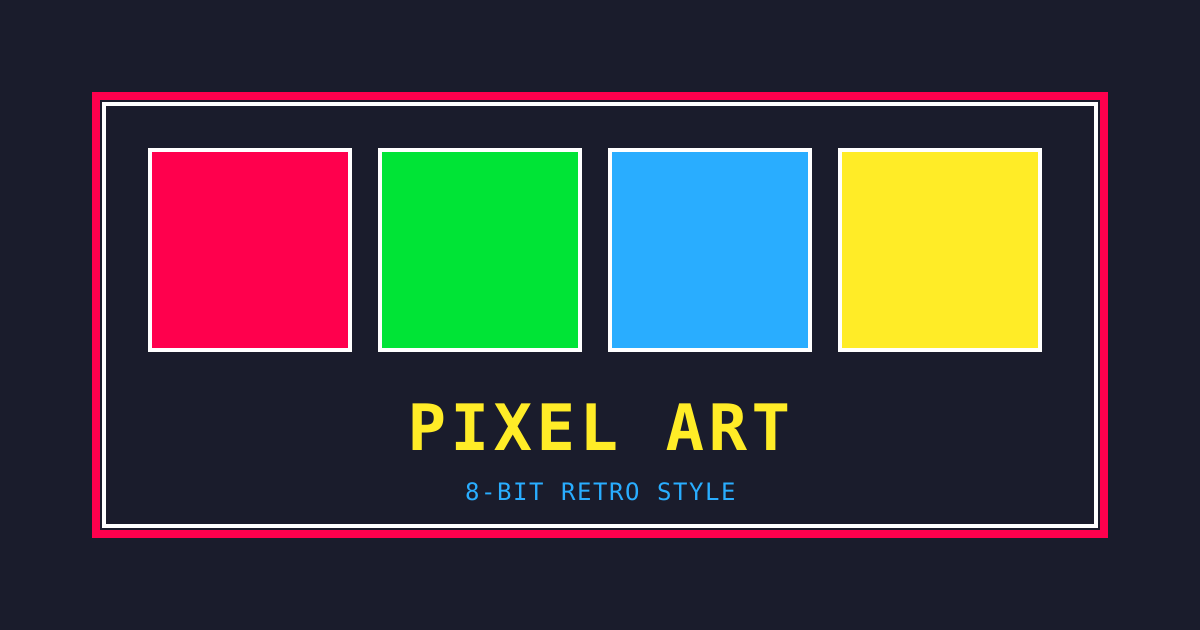
像素艺术风视觉预览
主色#1a1c2c
次色#f4f4f4
强调色 1#ff004d
强调色 2#00e436
强调色 3#29adff
强调色 4#ffec27

AI 实现规则

你是一个 Pixel Art 设计风格的前端开发专家。生成的所有代码必须严格遵守以下约束:

## 绝对禁止

- 使用任何圆角 rounded-*(必须 rounded-none)
- 使用渐变 bg-gradient-*
- 使用柔和阴影 shadow-lg, shadow-xl
- 使用细边框 border, border-2
- 使用非 8-bit 调色板的颜色

## 必须遵守

- 无圆角 rounded-none
- 粗边框 border-4 border-[#1a1c2c]
- 硬边阴影 shadow-[4px_4px_0_#1a1c2c]
- 8-bit 调色板配色
- 大写字母 uppercase
- 按钮按下效果

## 配色(PICO-8 调色板)

主色调:
- 深蓝黑: #1a1c2c
- 浅灰: #f4f4f4

强调色:
- 红色: #ff004d
- 绿色: #00e436
- 蓝色: #29adff
- 黄色: #ffec27
- 橙色: #ffa300
- 粉色: #ff77a8
- 紫色: #7e2553

## 阴影

标准阴影:shadow-[4px_4px_0_#1a1c2c]
悬停阴影:shadow-[2px_2px_0_#1a1c2c]
彩色阴影:shadow-[4px_4px_0_#ff004d]

## 按钮交互

正常:shadow-[4px_4px_0_#1a1c2c]
悬停:translate-x-1 translate-y-1 shadow-[2px_2px_0_#1a1c2c]
按下:translate-x-1 translate-y-1 shadow-none

## 自检

每次生成代码后检查:
1. 没有任何圆角
2. 使用粗边框 border-4
3. 使用硬边阴影
4. 配色来自 8-bit 调色板
5. 整体感觉复古像素化

## Animation & Interaction Rules

- Absolute Zero: Every element must use `transition-none` — pixel games run on a state machine, not an animation engine. All visual changes are instantaneous hard cuts with no easing.
- Palette Swap: Hover replaces the primary palette color with another 8-bit color directly (e.g., `hover:bg-[#29adff]` replacing red with blue). Never use opacity transitions or intermediate states.
- Pixel Perfect Drop: Active state must be `active:translate-x-[4px] active:translate-y-[4px] active:shadow-none` — the pixel displacement amount MUST exactly equal the shadow offset. Mismatched values break the illusion.
- Outline Focus: Focus state uses inner color shadow instead of modern ring glow: `focus:shadow-[inset_0_0_0_3px_#29adff]`.

组件预览与实现

font-mono font-bold border-2 border-black rounded-none uppercase tracking-wider transition-all duration-150 bg-[#306230] text-[#8bac0f] shadow-[4px_4px_0px_0px_rgba(0,0,0,1)] hover:shadow-none hover:translate-x-[4px] hover:translate-y-[4px] active:translate-x-[4px] active:translate-y-[4px]
button

按钮

像素风格按钮,Palette Swap 硬切配色 + Pixel Perfect Drop 完全对齐位移

<button className="
  px-6 py-3
  bg-[#ff004d]
  border-[4px] border-[#1a1c2c]
  rounded-none
  text-white font-bold uppercase tracking-widest
  shadow-[4px_4px_0_#1a1c2c]
  hover:bg-[#29adff]
  hover:shadow-[4px_4px_0_#ff004d]
  active:translate-x-[4px] active:translate-y-[4px]
  active:shadow-none
  transition-none
">
  START
</button>
card

卡片

像素风格卡片,Palette Swap 边框颜色切换 + 标题颜色硬切,全程 transition-none

<div className="group p-6 bg-white border-[4px] border-[#1a1c2c] rounded-none shadow-[4px_4px_0_#1a1c2c] hover:border-[#ff004d] hover:shadow-[4px_4px_0_#ff004d] transition-none cursor-pointer">
  <h3 className="text-2xl font-bold uppercase text-[#1a1c2c] mb-2 group-hover:text-[#ff004d] transition-none">
    LEVEL 1
  </h3>
  <p className="text-[#5f574f] font-mono group-hover:text-[#1a1c2c] transition-none">
    PRESS START TO ENTER THE PIXEL WORLD.
  </p>
</div>
input

输入框

像素风格输入框

<input
  type="text"
  placeholder="ENTER NAME..."
  className="
    w-full px-4 py-3
    bg-white
    border-4 border-[#1a1c2c]
    rounded-none
    text-[#1a1c2c] placeholder-[#8b8680]
    font-mono uppercase
    focus:outline-none focus:shadow-[inset_0_0_0_2px_#29adff]
    transition-all
  "
/>
nav

导航栏

像素风格导航栏

<nav className="
  px-6 py-4
  bg-[#1a1c2c]
  border-4 border-[#ff004d]
">
  <div className="max-w-4xl mx-auto flex items-center justify-between">
    <a href="/" className="text-white font-bold uppercase tracking-wider">
      PIXEL GAME
    </a>
    <div className="flex gap-6">
      <a href="#" className="text-[#29adff] hover:text-white font-bold uppercase text-sm transition-colors">
        PLAY
      </a>
      <a href="#" className="text-[#29adff] hover:text-white font-bold uppercase text-sm transition-colors">
        SCORES
      </a>
    </div>
  </div>
</nav>
hero

Hero 区块

像素风格 Hero 展示区域

<section className="
  min-h-screen
  flex flex-col items-center justify-center
  bg-[#1a1c2c]
  px-6 py-20
">
  <h1 className="
    text-4xl md:text-6xl
    font-bold uppercase tracking-wider
    text-[#ffec27]
    mb-4
    animate-pulse
  ">
    PIXEL ART
  </h1>
  <p className="text-[#29adff] text-xl uppercase mb-8">
    PRESS START TO BEGIN
  </p>
  <button className="
    px-8 py-4
    bg-[#ff004d]
    border-4 border-white
    rounded-none
    text-white font-bold uppercase text-xl
    shadow-[6px_6px_0_#00e436]
    hover:translate-x-1 hover:translate-y-1 hover:shadow-[4px_4px_0_#00e436]
    active:translate-x-2 active:translate-y-2 active:shadow-none
    transition-all duration-100
  ">
    START GAME
  </button>
</section>

交互展示

适用范围与设计理念

应用场景

creative

视觉关键词

retro像素8-bit复古游戏怀旧独立retrovintagenostalgicpixel

Pixel Art 是一种源于早期电子游戏的复古设计风格,通过像素化的视觉元素、硬边阴影和鲜明的 8-bit 配色,唤起对经典游戏的怀旧情感。

核心理念:

- 像素感:所有元素都呈现像素化的锐利边缘

- 硬边阴影:使用纯色偏移阴影模拟像素效果

- 8-bit 配色:使用经典游戏机的调色板

- 怀旧情感:唤起对经典游戏的美好回忆

设计原则:

- 视觉一致性:所有组件必须遵循统一的视觉语言,从色彩到字体到间距保持谐调

- 层次分明:通过颜色深浅、字号大小、留白空间建立清晰的信息层级

- 交互反馈:每个可交互元素都必须有明确的 hover、active、focus 状态反馈

- 响应式适配:设计必须在移动端、平板、桌面端上保持一致的体验

- 无障碍性:确保色彩对比度符合 WCAG 2.1 AA 标准,所有交互元素可键盘访问

应该这样做

  • 使用无圆角 rounded-none
  • 使用粗边框 border-4
  • 使用硬边阴影 shadow-[4px_4px_0_color]
  • 使用 8-bit 调色板配色
  • 使用像素字体或等宽字体
  • 按钮按下时阴影消失并位移
  • Absolute Zero: use `transition-none` throughout — pixel games run on a state machine, all visual state changes are instantaneous hard cuts
  • Palette Swap: hover directly replaces the primary palette color with another 8-bit color (e.g., `hover:bg-[#29adff]` replacing red with blue), no gradients or opacity fades
  • Pixel Perfect Drop: active state must be `active:translate-x-[4px] active:translate-y-[4px] active:shadow-none` — displacement amount MUST exactly equal the shadow offset size

避免这样做

  • 禁止使用任何圆角
  • 禁止使用渐变
  • 禁止使用柔和阴影
  • 禁止使用过于复杂的颜色
  • 禁止使用细边框
  • 禁止使用任何 transition-* 除 transition-none(像素游戏是状态机,不是动画引擎)
  • 禁止在 Palette Swap 中使用 opacity 过渡或中间状态(颜色切换必须是硬切)
  • 禁止 active 位移量小于 shadow 偏移量(Pixel Perfect Drop 要求完全对齐,否则破坏像素感)

全局 CSS

/* Pixel Art 全局样式 */

:root {
  --pixel-dark: #1a1c2c;
  --pixel-light: #f4f4f4;
  --pixel-red: #ff004d;
  --pixel-green: #00e436;
  --pixel-blue: #29adff;
  --pixel-yellow: #ffec27;
  --pixel-orange: #ffa300;
  --pixel-pink: #ff77a8;
  --pixel-purple: #7e2553;
}

/* 像素化渲染 */
.pixel-render {
  image-rendering: pixelated;
  image-rendering: crisp-edges;
}

/* 像素字体(需要引入 Press Start 2P 字体) */
@import url('https://fonts.googleapis.com/css2?family=Press+Start+2P&display=swap');

.pixel-font {
  font-family: 'Press Start 2P', monospace;
}

/* 像素边框 */
.pixel-border {
  border: 4px solid var(--pixel-dark);
  border-radius: 0;
}

/* 像素阴影 */
.pixel-shadow {
  box-shadow: 4px 4px 0 var(--pixel-dark);
}

/* 像素按钮效果 */
.pixel-button {
  border: 4px solid var(--pixel-dark);
  border-radius: 0;
  box-shadow: 4px 4px 0 var(--pixel-dark);
  transition: all 0.1s ease;
}

.pixel-button:hover {
  transform: translate(2px, 2px);
  box-shadow: 2px 2px 0 var(--pixel-dark);
}

.pixel-button:active {
  transform: translate(4px, 4px);
  box-shadow: none;
}

/* 像素闪烁动画 */
@keyframes pixel-blink {
  0%, 100% { opacity: 1; }
  50% { opacity: 0; }
}

.pixel-blink {
  animation: pixel-blink 1s step-end infinite;
}
.pixel-art-card {
  position: relative;
  overflow: hidden;
}

.pixel-art-card::before {
  content: "";
  position: absolute;
  inset: 0;
  opacity: 0;
  transition: opacity 0.3s ease;
  background: linear-gradient(135deg, rgba(26, 28, 44, 0.05), transparent);
  pointer-events: none;
}

.pixel-art-card:hover::before {
  opacity: 1;
}

.pixel-art-gradient {
  background: linear-gradient(135deg, #1a1c2c, #ff004d);
}

.pixel-art-gradient-text {
  background: linear-gradient(135deg, #1a1c2c, #ff004d);
  -webkit-background-clip: text;
  -webkit-text-fill-color: transparent;
  background-clip: text;
}

.pixel-art-frosted {
  backdrop-filter: blur(12px) saturate(180%);
  -webkit-backdrop-filter: blur(12px) saturate(180%);
  background: rgba(26, 28, 44, 0.08);
}

.pixel-art-accent-corner {
  clip-path: polygon(0 0, 100% 0, 100% calc(100% - 2rem), calc(100% - 2rem) 100%, 0 100%);
}

.pixel-art-animate-in {
  animation: pixel-art-fade-in 0.5s ease-out both;
}

布局、色板与 Tokens

主色#1a1c2c
次色#f4f4f4
强调色 1#ff004d
强调色 2#00e436
强调色 3#29adff
强调色 4#ffec27
{
  "border": {
    "width": "border-4",
    "color": "border-[#1a1c2c]",
    "radius": "rounded-none",
    "style": "border-solid"
  },
  "shadow": {
    "sm": "shadow-[2px_2px_0_#1a1c2c]",
    "md": "shadow-[4px_4px_0_#1a1c2c]",
    "lg": "shadow-[6px_6px_0_#1a1c2c]",
    "none": "shadow-none",
    "hover": "hover:shadow-[2px_2px_0_#1a1c2c]",
    "focus": "focus:shadow-[4px_4px_0_#1a1c2c]",
    "colored": {
      "red": "shadow-[4px_4px_0_#ff004d]",
      "green": "shadow-[4px_4px_0_#00e436]",
      "blue": "shadow-[4px_4px_0_#29adff]",
      "yellow": "shadow-[4px_4px_0_#ffec27]"
    }
  },
  "interaction": {
    "transition": "transition-transform duration-100",
    "active": "active:translate-x-1 active:translate-y-1 active:shadow-none",
    "hoverTranslate": "hover:translate-x-1 hover:translate-y-1"
  },
  "typography": {
    "heading": "font-bold uppercase tracking-wider text-[#1a1c2c]",
    "body": "text-[#1a1c2c]",
    "mono": "font-mono text-[#1a1c2c]",
    "sizes": {
      "hero": "text-3xl md:text-5xl",
      "h1": "text-2xl md:text-4xl",
      "h2": "text-xl md:text-2xl",
      "h3": "text-lg md:text-xl",
      "body": "text-base",
      "small": "text-sm"
    }
  },
  "spacing": {
    "section": "py-12 md:py-20",
    "container": "px-4 md:px-8",
    "card": "p-4 md:p-6",
    "gap": {
      "sm": "gap-4",
      "md": "gap-6",
      "lg": "gap-8"
    }
  },
  "colors": {
    "background": {
      "primary": "bg-[#f4f4f4]",
      "secondary": "bg-white",
      "accent": [
        "bg-[#ff004d]",
        "bg-[#00e436]",
        "bg-[#29adff]",
        "bg-[#ffec27]"
      ]
    },
    "text": {
      "primary": "text-[#1a1c2c]",
      "secondary": "text-[#5f574f]",
      "muted": "text-[#8b8680]"
    },
    "button": {
      "primary": "bg-[#ff004d] text-white",
      "secondary": "bg-[#29adff] text-white",
      "danger": "bg-[#ff004d] text-white"
    }
  },
  "forbidden": {
    "classes": [
      "rounded-lg",
      "rounded-xl",
      "rounded-2xl",
      "rounded-3xl",
      "rounded-full",
      "shadow-lg",
      "shadow-xl",
      "shadow-2xl",
      "bg-gradient-to-r",
      "bg-gradient-to-br"
    ],
    "patterns": [
      "^rounded-(?:sm|md|lg|xl|2xl|3xl|full)",
      "^shadow-(?:lg|xl|2xl)",
      "^bg-gradient"
    ],
    "reasons": {
      "rounded-lg": "Pixel art style requires sharp corners (rounded-none)",
      "rounded-full": "Pixel art style requires sharp corners (rounded-none)",
      "shadow-lg": "Pixel art style uses hard-edge pixel shadows",
      "bg-gradient-to-r": "Pixel art style uses solid 8-bit colors, not gradients"
    }
  },
  "required": {
    "button": [
      "px-6 py-3",
      "bg-[#ff004d]",
      "border-4 border-[#1a1c2c]",
      "rounded-none",
      "text-white font-bold uppercase",
      "shadow-[4px_4px_0_#1a1c2c]",
      "hover:translate-x-1 hover:translate-y-1 hover:shadow-[2px_2px_0_#1a1c2c]",
      "active:translate-x-1 active:translate-y-1 active:shadow-none",
      "transition-all duration-100"
    ],
    "card": [
      "bg-white",
      "border-4 border-[#1a1c2c]",
      "rounded-none",
      "shadow-[4px_4px_0_#1a1c2c]"
    ],
    "input": [
      "bg-white",
      "border-4 border-[#1a1c2c]",
      "rounded-none",
      "text-[#1a1c2c] placeholder-[#8b8680]",
      "focus:outline-none focus:shadow-[inset_0_0_0_2px_#29adff]",
      "transition-all"
    ]
  }
}

示例提示词

游戏主菜单

像素风格游戏菜单

用 Pixel Art 风格创建一个游戏主菜单,要求:
1. 背景:深色 #1a1c2c
2. 标题:大号像素字体,黄色闪烁
3. 菜单项:START, OPTIONS, CREDITS
4. 按钮:红色背景,硬边阴影,按下效果
5. 装饰:像素化的星星或图案

得分排行榜

像素风格排行榜

用 Pixel Art 风格设计一个得分排行榜,要求:
1. 标题:HIGH SCORES,黄色大字
2. 列表:排名、玩家名、分数
3. 边框:粗像素边框
4. 配色:使用 8-bit 调色板
5. 底部:返回按钮

作品集展示

生成 像素艺术风风格的作品集页面

Create a portfolio showcase page using Pixel Art style with project grid, about section, contact form, and consistent visual language.